
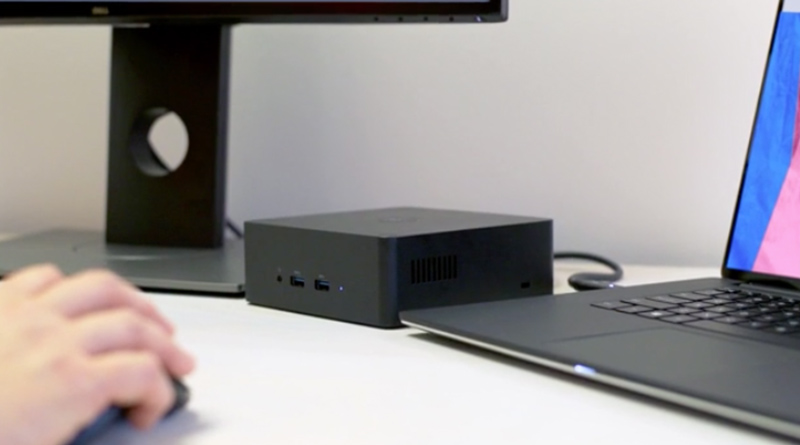
Berpunca daripada “Soft Off (S5) power state“.
Microsoft hari ini mengeluarkan amaran kepada pengguna sistem operasi Windows 10 berkaitan kegagalan peranti Thunderbolt daripada berfungsi dalam suatu keadaan tertentu.
Pengguna Windows 10 yang terjejas dengan isu ini meliputi pengguna Windows 10 versi 1909, 1903, 1809, 1803 dan 1709.
Menurut Microsoft, jika penggunanya melakukan proses Fast Startup dan ada disambungkan peranti Thunderbolt pada komputer mereka, ia akan menyebabkan peranti Thunderbolt gagal berfungsi walaupun dinyatakan peranti itu beroperasi dalam Device Manager.
Berikut adalah situasi yang boleh menyebabkan isu ini sepertimana yang diterangkan oleh Microsoft:-
- You connect the Thunderbolt Dock to the computer. Devices on the Thunderbolt Dock are enumerated.
- You press the power button to put the system into a Soft Off (S5) power state. After the screen turns off, you remove the Thunderbolt Dock.
- You wait for the S5 process to finish, plug in the Thunderbolt Dock, and then wait five seconds for the Thunderbolt Dock to become idle.
- You power on the computer. Then, you check whether the mouse, keyboard, and USB key are functional.
Ciri “Soft Off (S5) power state” adalah situasi di mana sistem Windows telah dimatikan sepenuhnya tetapi peranti lain yang disambungkan dengan komputer itu masih dihidupkan.
Sebagai contoh ketika pengguna melakukan proses hidup semula (restart) pada komputer mereka.
“The soft off state is when the system fully shuts down without a hibernation file. Soft off is also known as a “full shutdown.” During a full shutdown and boot, the entire user session is torn down and restarted on the next boot. Consequently, a boot/startup from this state takes significantly longer than S1-S4. A full shutdown (S5) occurs when a system restart is requested (or an application calls a shutdown API).” Microsoft.
Walaubagaimanapun, isu ini dakwa Microsoft hanya berlaku akan berlaku pada sebahagian kecil pengguna Windows sahaja iaitu sekitar 5 peratus sahaja kegagalan yang akan berlaku.
Buat masa ini, penyelesaian bagi mengatasi isu ini kepada pengguna yang terjejas, mereka hanya perlu memisahkan peranti Thunderbolt dari komputer dan melakukan proses restart.
Sambungkan kembali peranti Thunderbolt apabila sistem Windows 10 sedia diguna.